 highghlow
This guide is based on this guide by Wanghzo (sections 1-4) and this guide by IroniaTheMaster (section 5), which itself is based on this guide by koo00
The guide was changed to use Ghidra instead of IDA Pro and the script was modified accordingly
This guide was only tested on Linux
Warning: this was only tested on an arm64 device
Prequisites
- Ghidra v11.3.2 (Official website, archived download)
- Il2CppDumper (this specific version of it)
- Frida v16.6.6
- GameGuardian v101.1 (download)
- A GameGuardian-compatible device (root or a second space)
- The game, installed on the device
Aquiring GetMetadata function pointer
- Extract the APK file
- Find
libil2cpp.so
in the lib directory - Create a new ghidra project
- Select "Menu" > "File" > "Import File..." and import
libil2cpp.so
- Open and analyze the file
- Select "Menu" > "Search" > "Memory"
- Change "Hex" to "String" and input
global-metadata.dat
- Press "Search" and double-click on the only result
- Right click on the name (
s_global-metadata.dat...
) - Select "References" > "Show references to s_global-metadata.dat…"
- Double-click on the only reference

- Find the first
bl
instruction after the selected one - Find the function name (e.g.
FUN_0074e9b4
) - Write down the characters after the underscore
(e.g.
0074e9b4
)
Finding global-metadata.dat in memory
- Start GameGuardian
- Follow the Frida installation guide (I used frida v16.6.6)
- Aquire script.js
- Replace the
Value
in0xValue
on line 9 with the numbers you got earlier - Exit the game if it is running
- Run
frida -Uf com.game.package.name -l ./script.js
- A red line should appread saying
Address : ...
- Write down everything after the colon (this will be different on every launch)
Dumping global-metadata.dat
- Open the GameGuardian overlay
- Select the game process
- Click on the 4-th tab and open the menu
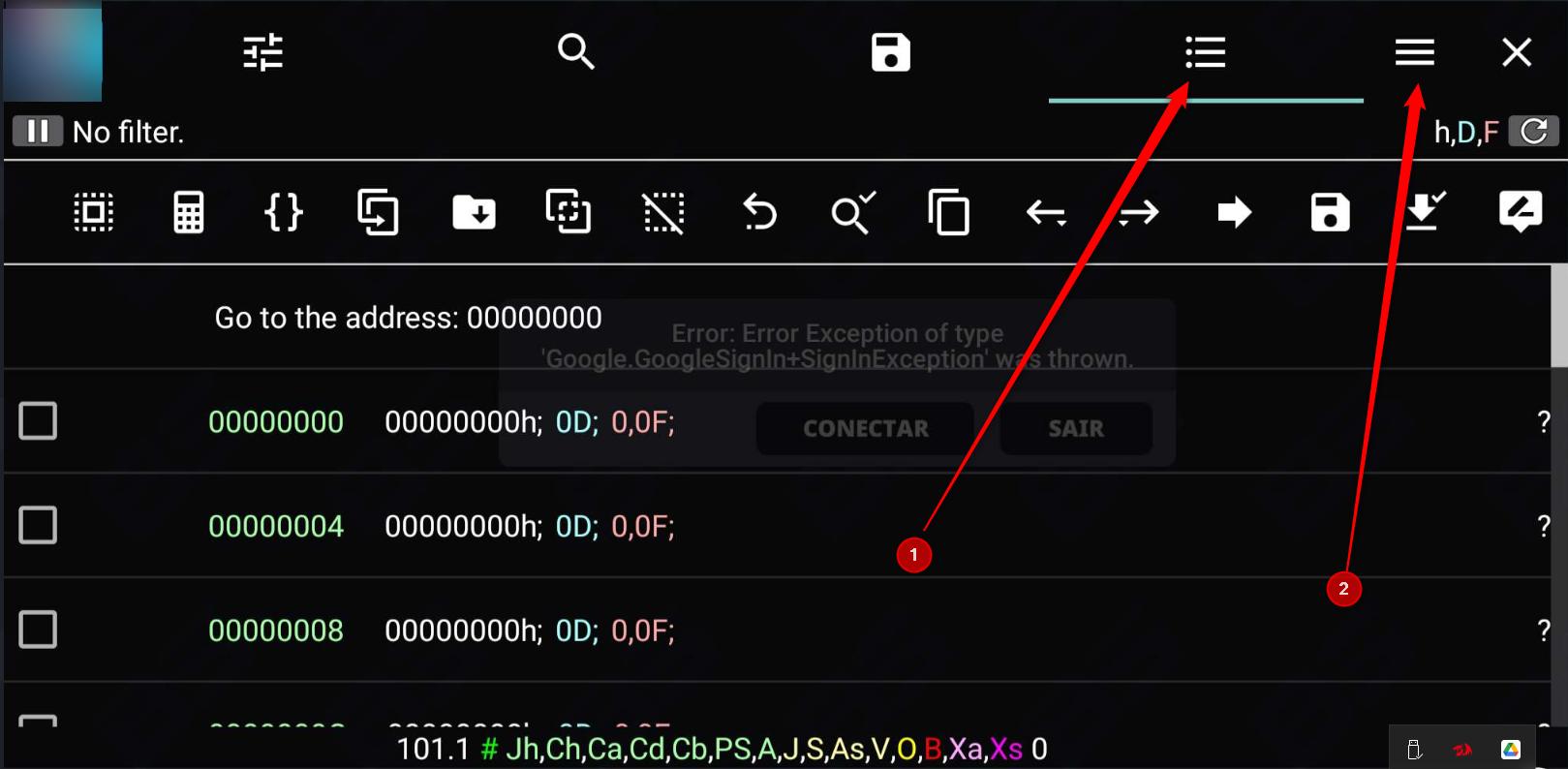
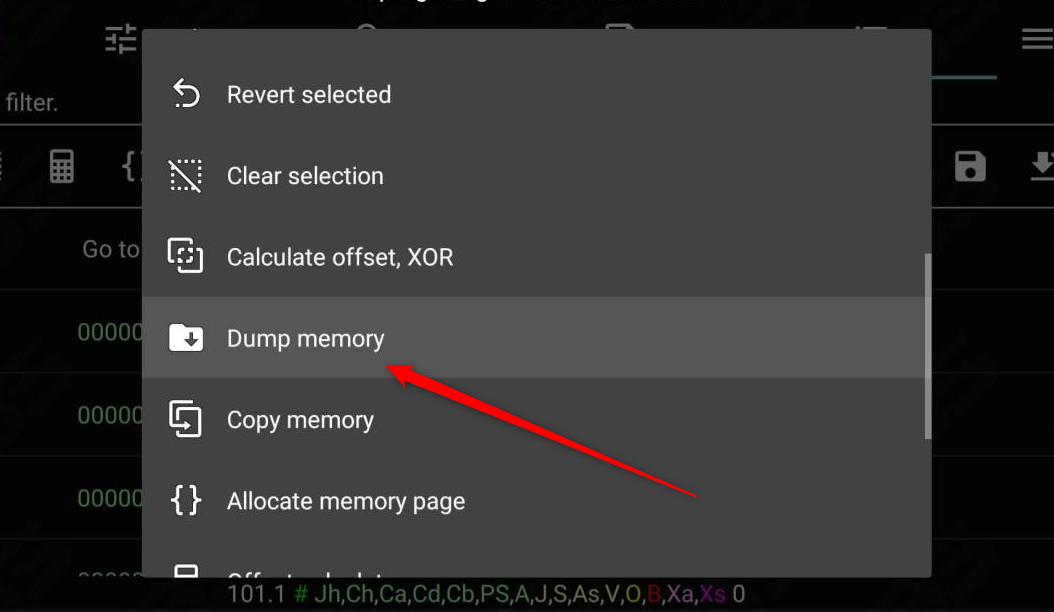
- Select "Dump memory"
- In the "From" input box enter the console value without the "0x"
- Tap on the down arrow to the right of it
- The first (selected) menu option should have
global-metadata.dat
in it, and should start withO: numbers1-numbers2 r--s ...
- Write down
numbers2
- Click away from the menu
- Input
numbers2
into the "To:" input box - Press "Save" and wait for the process to finish
- (On the PC) run
adb shell "cat /storage/emulated/0/dump/*.bin" > global-metadata.dat
Decompiling the game
- Unzip the APK file
- Find
libil2cpp.so
inlib
- Create the
decomp
folder - Run
Il2CppDumper path/to/libil2cpp.so path/to/global-metadata.dat decomp
- Go to the
decomp
- Run
python3 path/to/Il2CppDumper/il2cpp_header_to_ghidra.py
- Start ghidra and make a new project
- Click the Code Browser (dragon head) icon
- In the new window select "File" > "Import file"
- Import and analyze
libil2cpp.so
- Select "File" > "Parse C Source…"
- Change the "Parse Configuration" to "VisualStudio22_64.prf"
- Remove all entries from "Source Files to Parse", "Include Paths", and "Parse Options"
- Add
decomp/il2cpp_ghidra.h
to the "Source Files to Parse" section - Click "Parse to Program" and then "Continue". If prompted, select "Use Open Archives". This may take a while
- Open the script manager (green play icon)
- Press "Manage Script Directories" (the list icon in the top bar)
- In the new window press "Display file chooser to add bundles to the list" (the green plus in the top bar)
- Add
path/to/Il2CppDumper
- Close the "Bundle Manager" window
- Run the
ghidra_with_struct.py
script - When prompted, select
script.json
from thedecomp
folder - Wait for all analysis to finish