 highghlow




This guide is based on this pikabu post
Some pictures are from this 4pda post
Diagnosis
The phone is stuck in a bootloop displaying "Orange State", does not respond to any buttons presses, and can't enter recovery or fastboot.
Notes
- This guide requires you to scrape off the solder mask of a micropin on the motherboard using a needle. A microscope is highly recommended for this
- I did many things during my unbricking process. I don't know which of these are important, so I wrote all of them here
Acquiring the required files
Download the following:
Exposing the testpoint
- Disassemble the device. There is nothing special here; just remove the back cover, unscrew all the screws on the top half and unplug all the wires
- Remove the motherboard from the device and turn it around
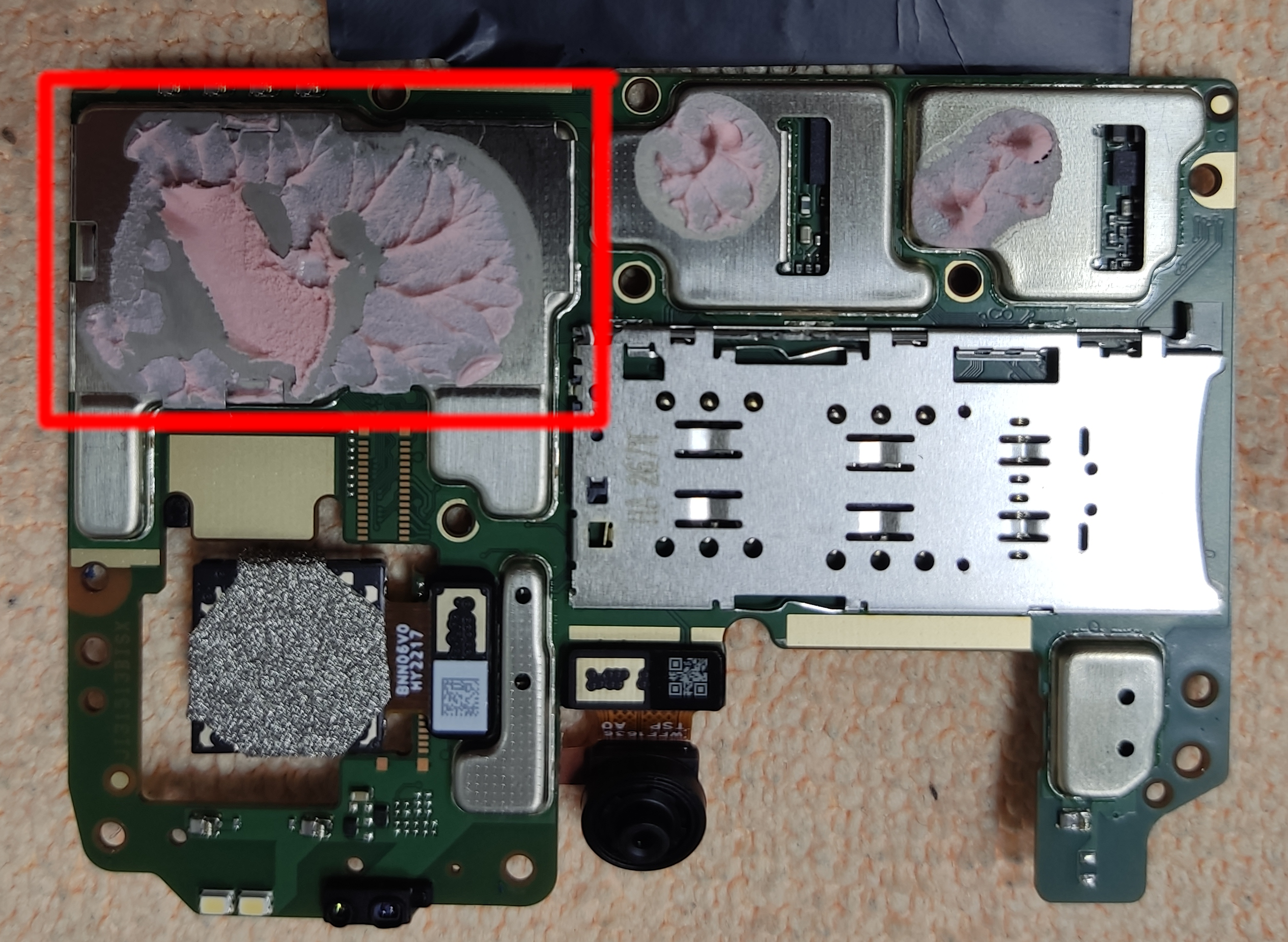
- Remove this metal cover:
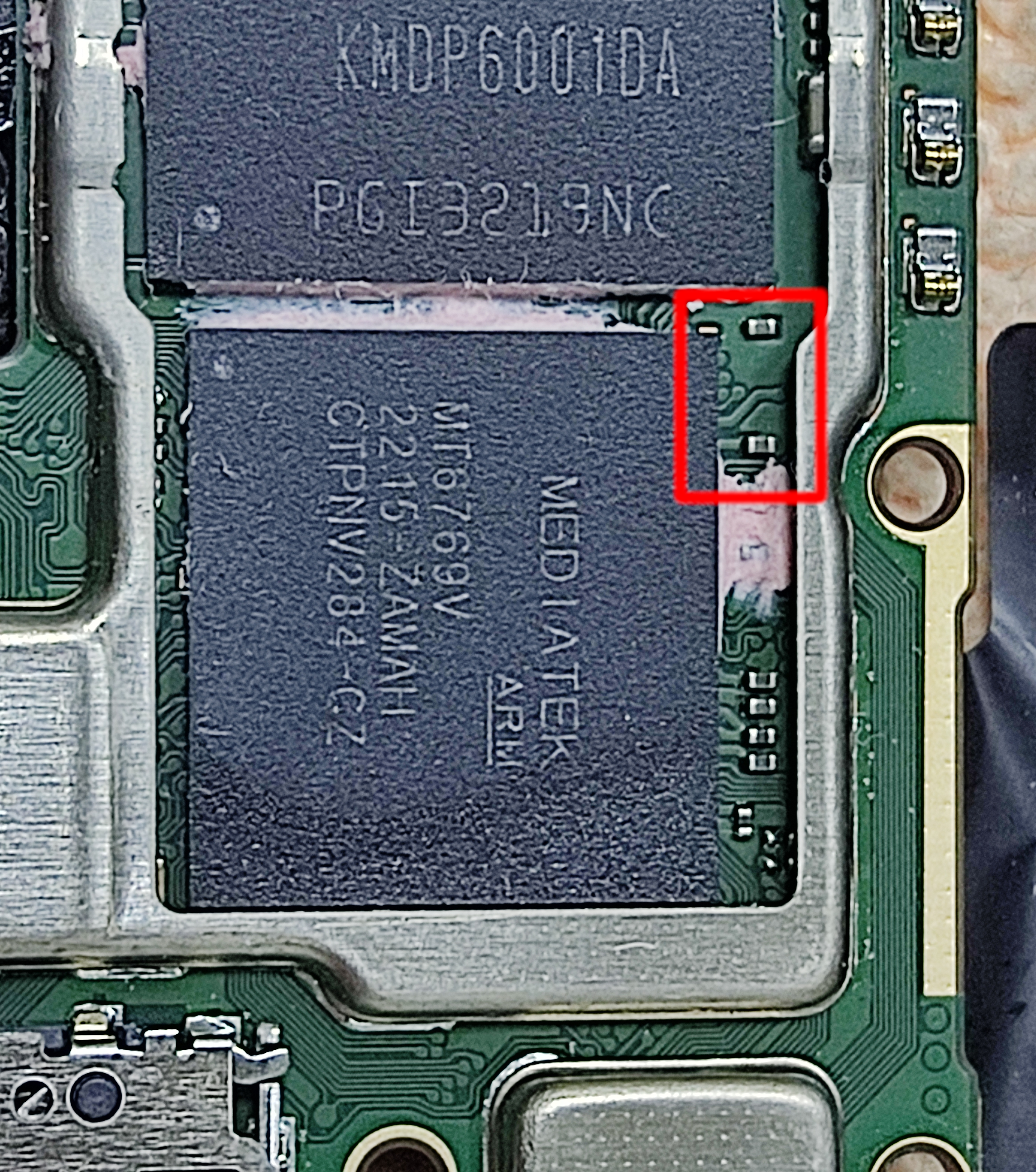
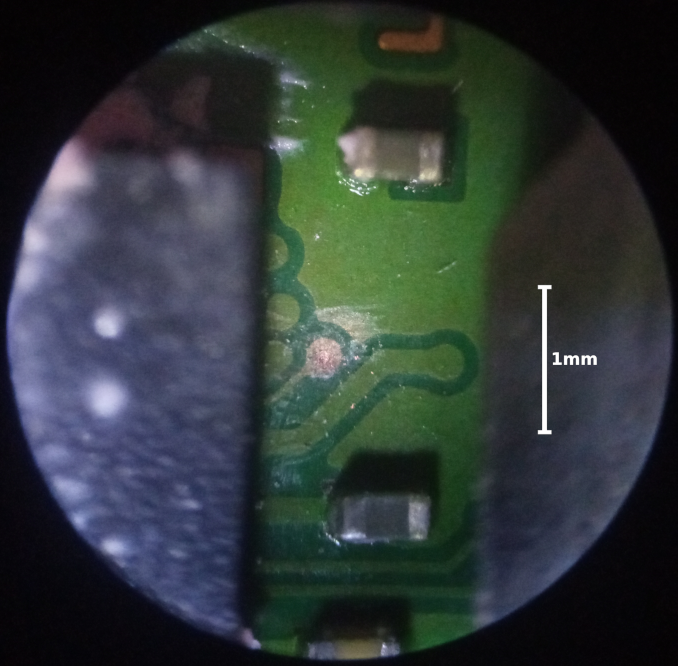
- Find the testpoint and carefully scrape off the solder mask:
Using the testpoint
Now assemble the phone is such a way that you can still access the testpoint, even when it's powered on. I did it like this:
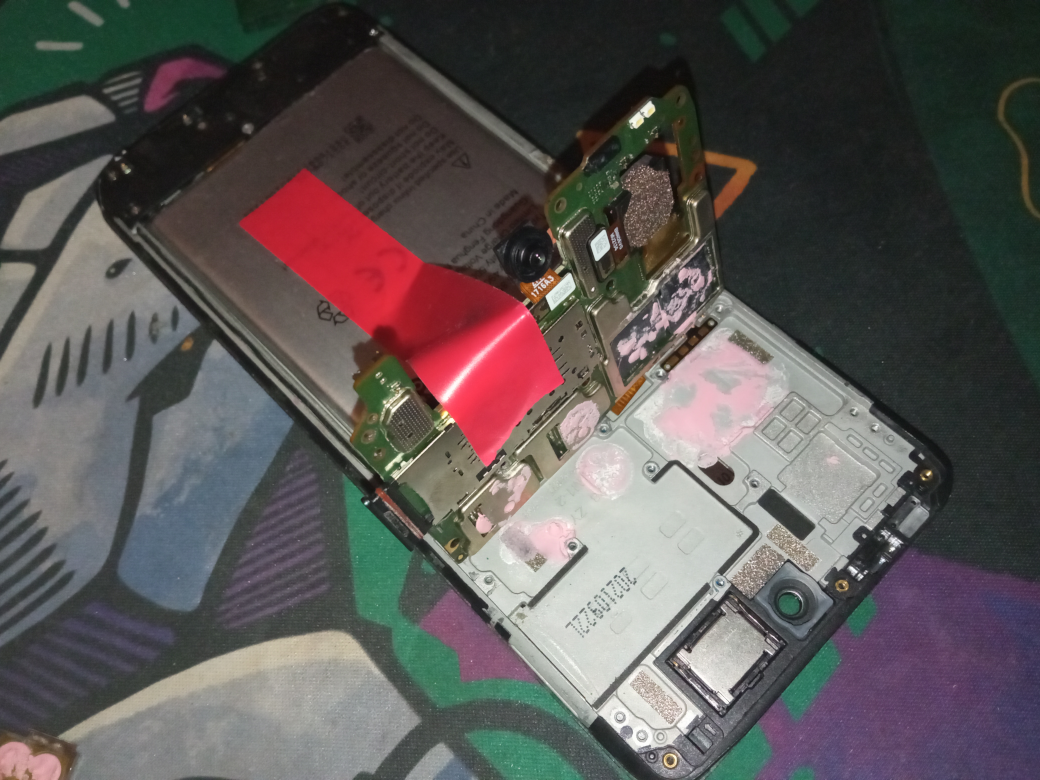
The testpoint has to be shorted to ground for it to work. I recommend using a sharp needle, connected with a wire to the phone's ground (any large metal surface). I shoved the wire into the SIM tray level, because it can actually hold the wire without any tape.
Flashing the firmware
Here are the things I did to this phone, in order:
- Flashed the firmware in "Download Only" mode (see §Using SP Flash Tool)
- This didn't do anything to the phone
- Flashed
vbmetaandvbmeta_systemwith--disable-verity --disable-verification(see §Using fastboot) - Changed the active slot from "B" to "A":
fastboot set-active a - At this point "MTKMETAUtility" stopped working, so I switched to "MTK-Auth-Bypass", which can't enter fastboot
- Flashed the firmware in "Firmware Upgrade" mode
- The flashing failed with a "verification error"
- The phone successfully booted, but with a "Download did not finish" warning on startup
- Flashed the firmware using "Download Only" mode (again)
- The flashing failed with the same error
- Flashed the firmware using "Download Only" mode, but disabled the
tranfspartition- The phone successfully booted without a warning
During this process I did not loose my IMEIs
Using SP Flash Tool
- Unpack it from the unbricking tools
- Set the "Scatter-loading File" to
MT6768_Android_scatter.txt(inside the firmware directory) - Set the mode to "Download Only" or "Firmware Upgrade". Do not use "Format All", it will wipe your IMEIs and may render the phone unrecoverable
- Remove the checkmark next to
tranfsin the bottom table if needed - Use §MTKMETAUtility or §MTK Auth Bypass
- Press Download
Using MTKMETAUtility
- Unpack it from the unbricking tools
- Set the date to January 1st 2022
- This has to be done before the program is executed, as the program rewrites itself when executed after it's "expiration date"
- There seems to be some other heuristic that stops the program from running, which I wasn't able to figure out. So, if you can, run the program in a disposable virtual machine
- Open the "BRom" tab
- Select "Disable Auth" if using with SP Flash Tool,
- and "Reboot Fastboot Mode" is using with fastboot
- Plug in the phone while shorting the testpoint
- Disconnect the testpoint
Using MTK Auth Bypass Tool
- Unpack it from the unbricking tools
- Open it; press "Disable Auth"
- Plug in the phone while shorting the testpoint
- Wait for the process to finish
- Disconnect the testpoint and use SP Flash Tool
Using fastboot
- Use §MTKMETAUtility to enter fastboot mode
- Now use fastboot as normal
- If it complains about the battery being too low, disconnect the battery (while the phone is still connected and booted into fastboot mode)