 highghlow




This guide is based on this guide on 4pda
Downloads
- Download the engineering firmware
- Download MIUI v12.0.1
- Download the restoration tools
Removing write-protection
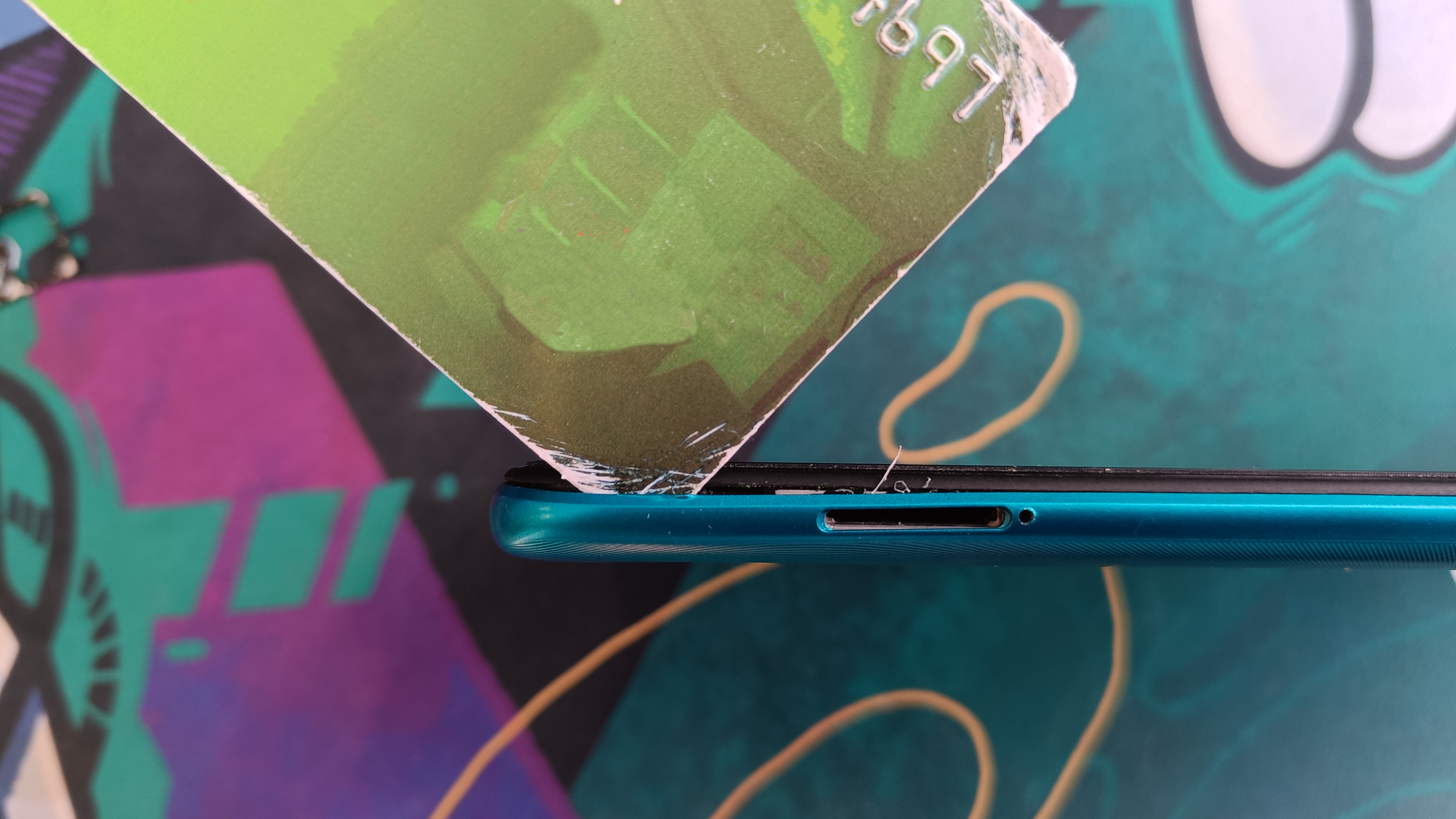
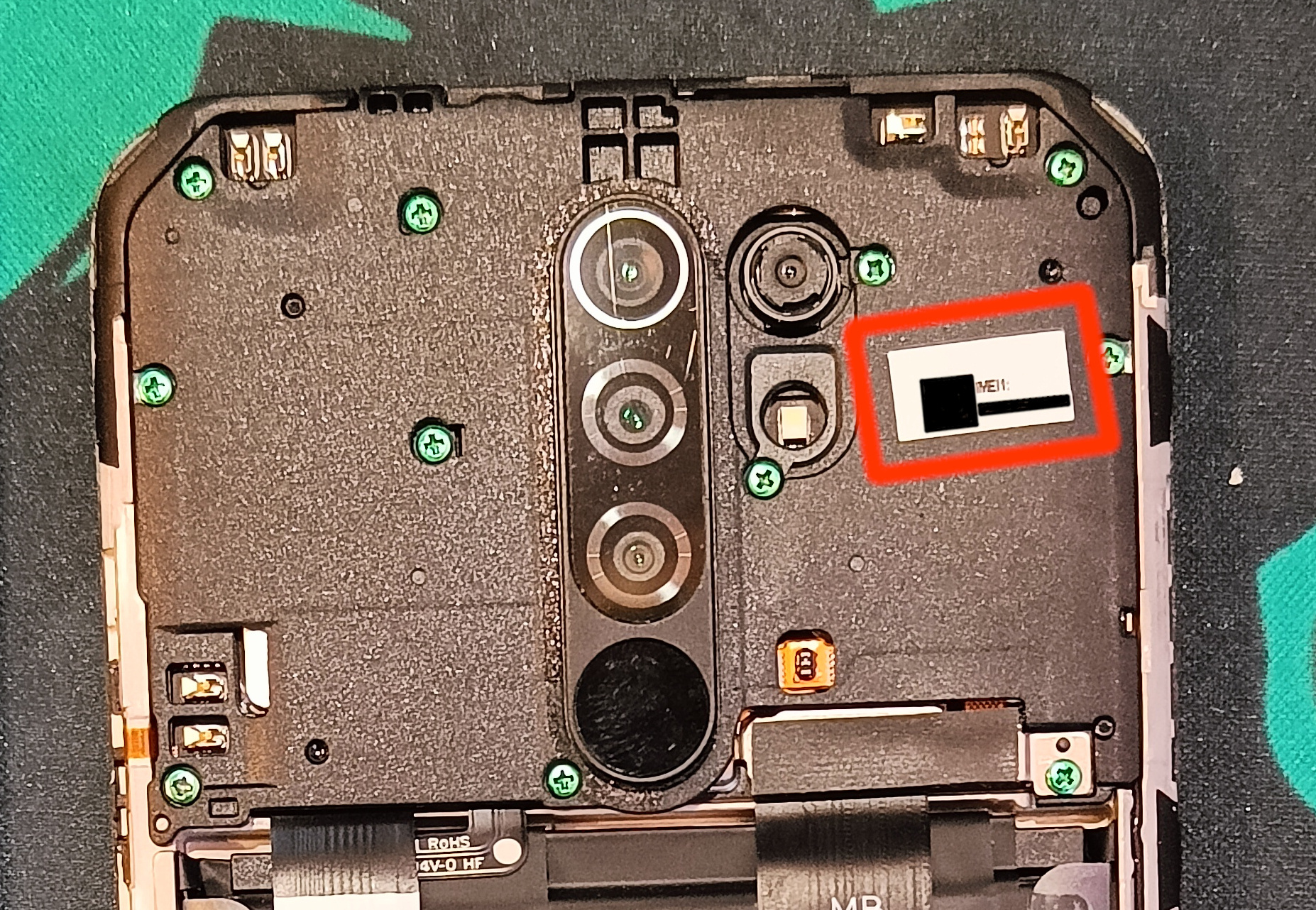
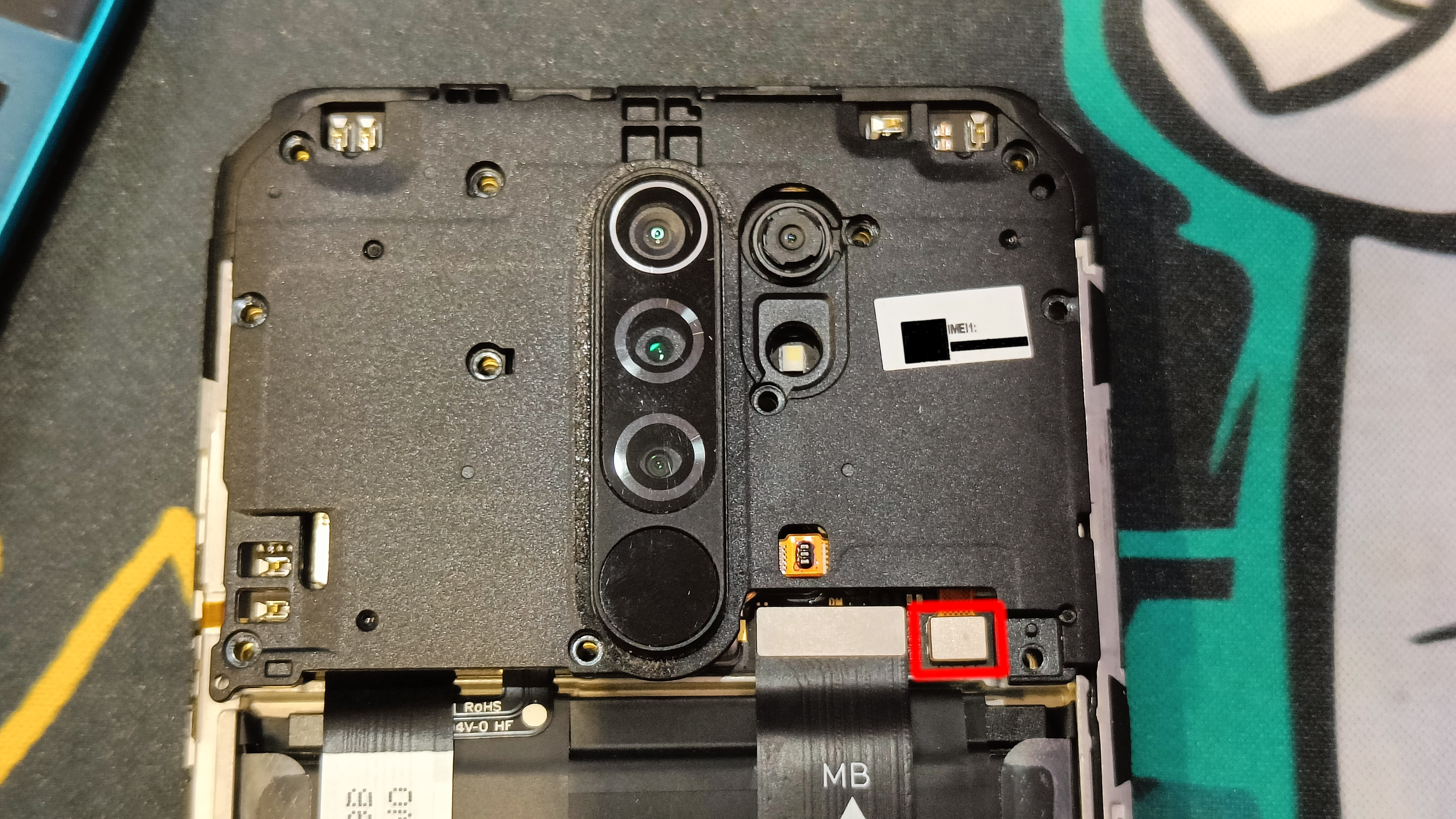
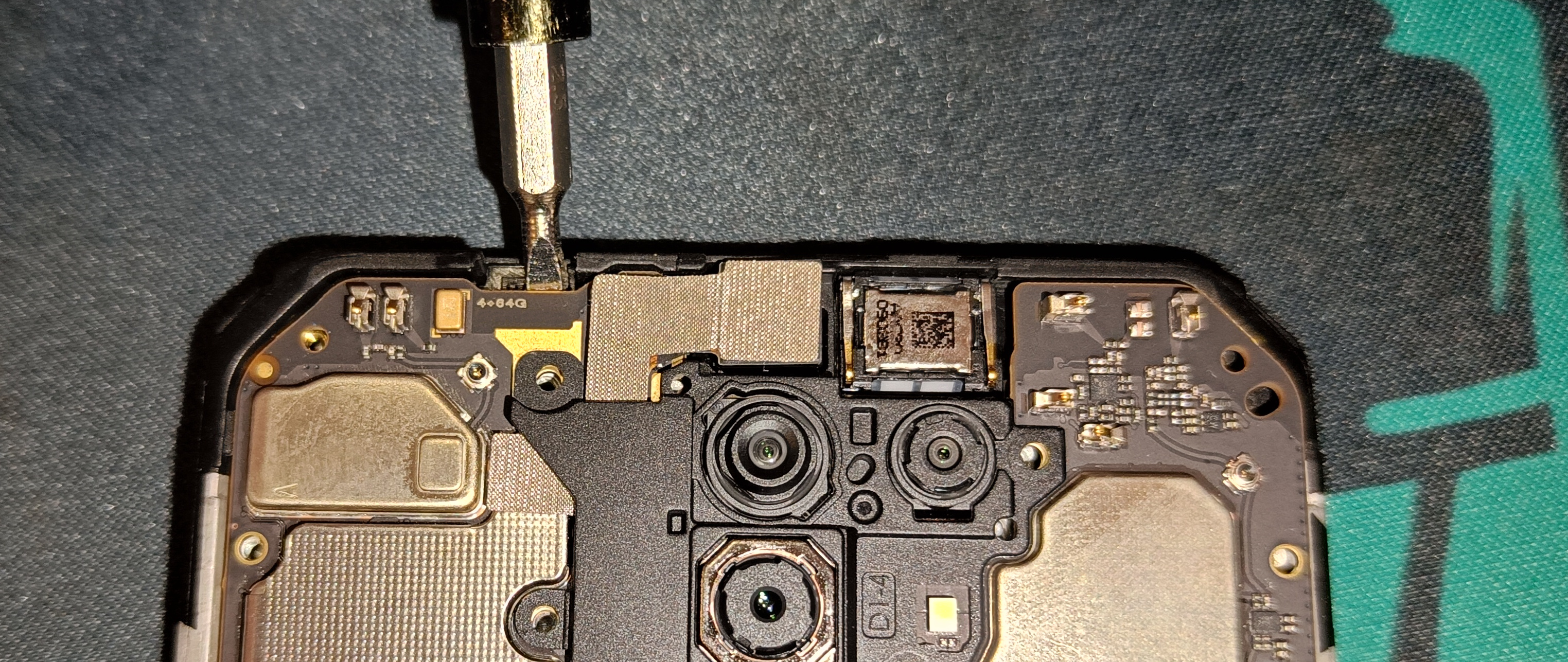
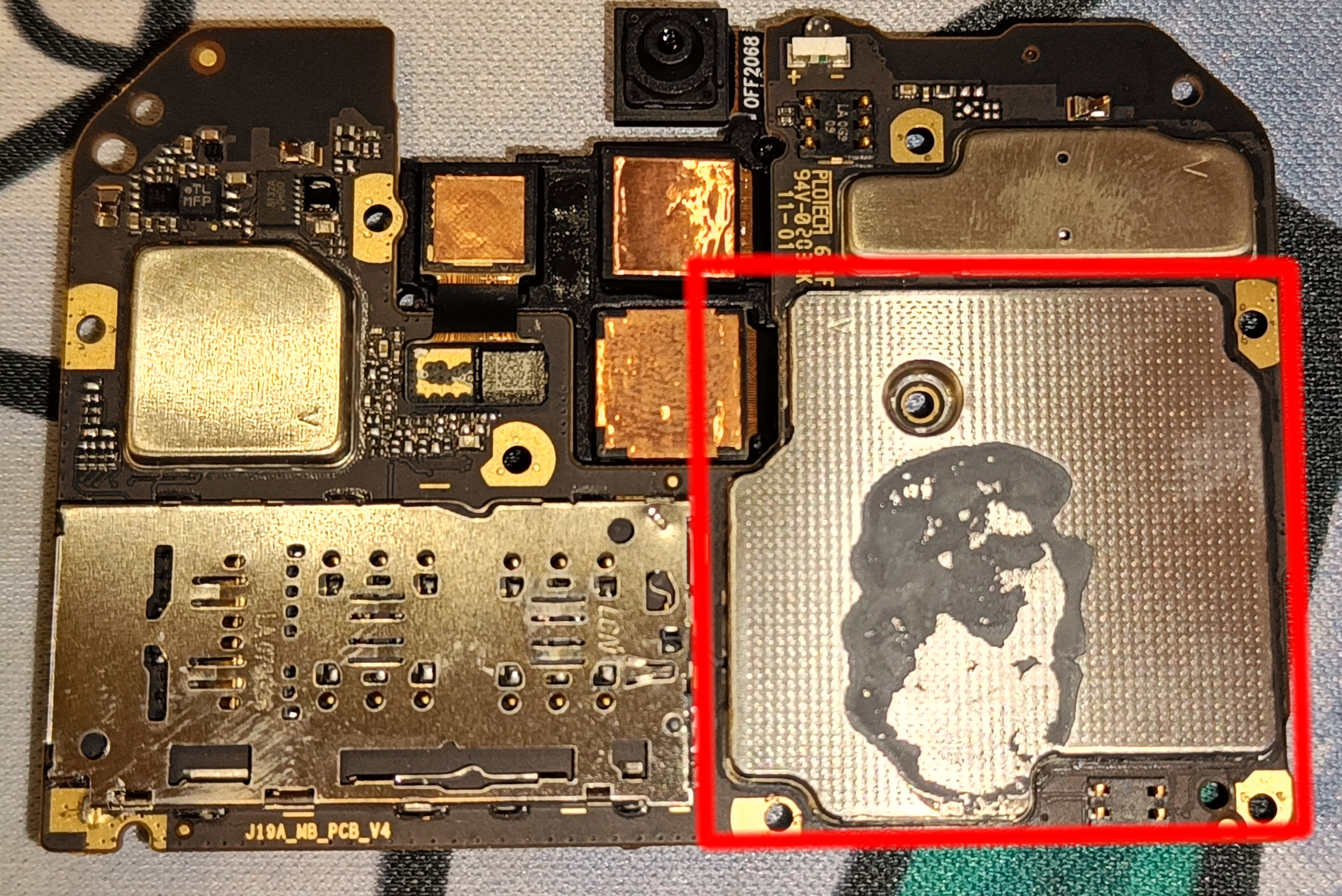
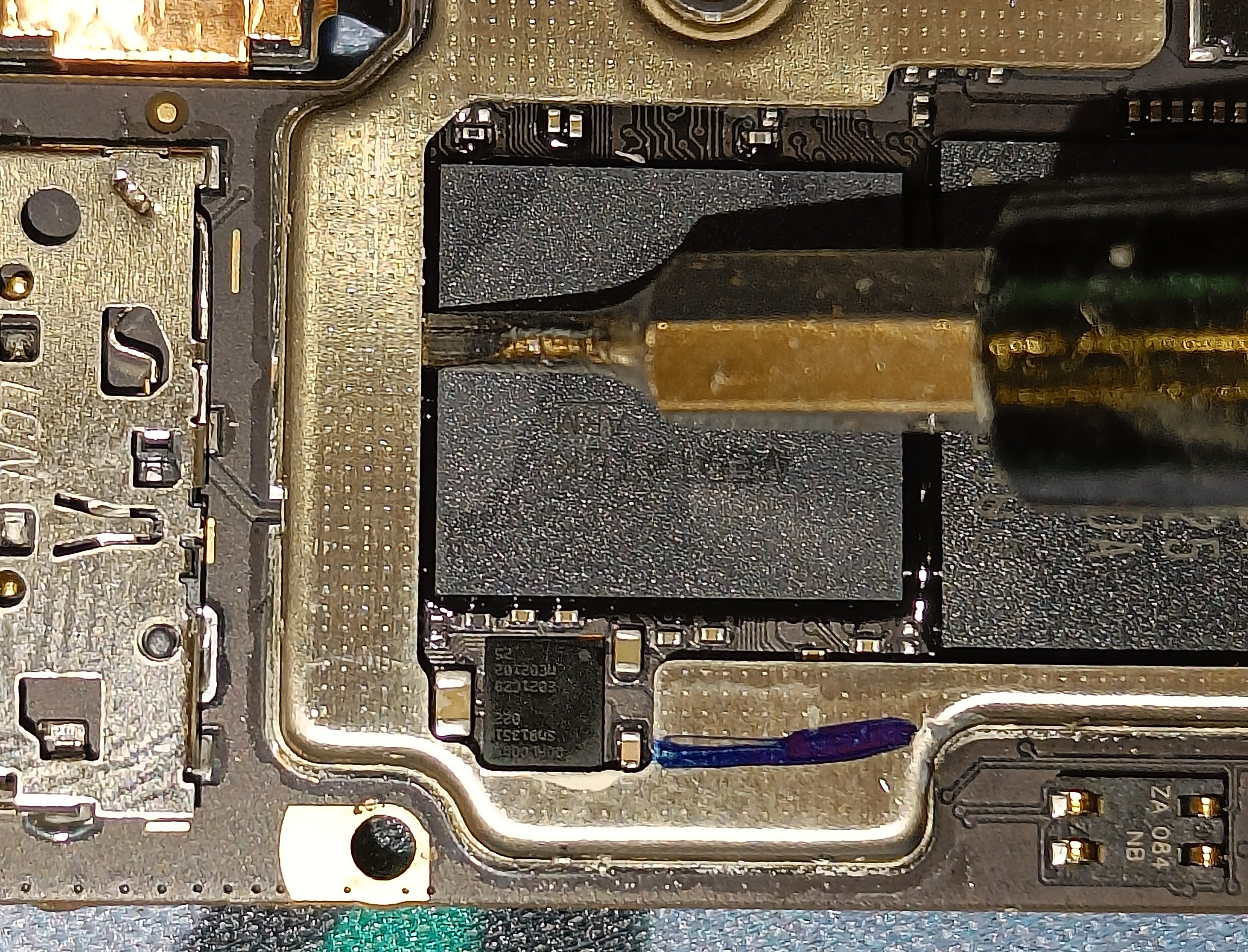
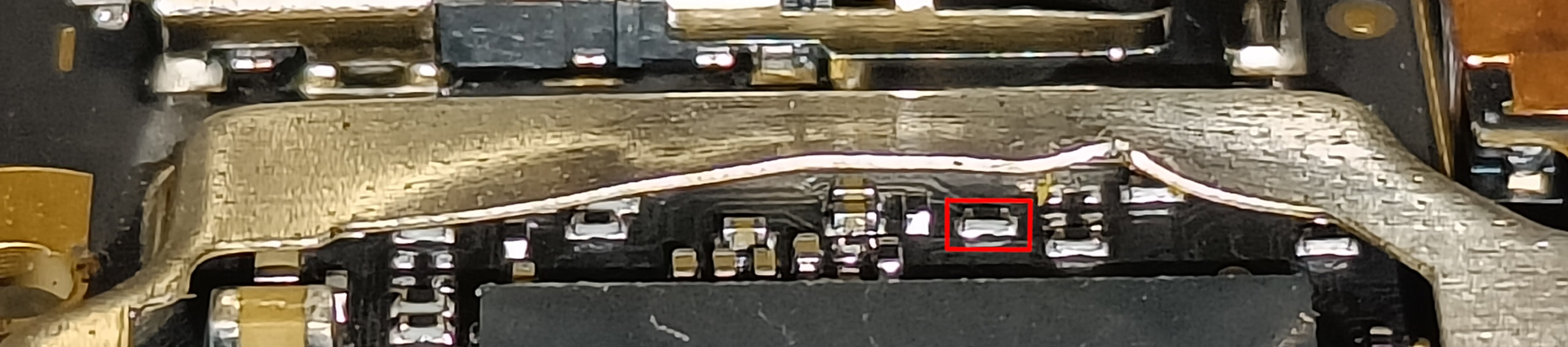
How to use MTKSecBypass
Every time I ask you to do something "with bypass", you should do the following:
- Run
MTK-Auth-Bypass-Tool-V13.rar/mtksecbypass_v13.exe - Press "Disable Auth"
- Plug in the device while it's powered off holding both volume buttons
- If the device is not detected try installing MTKClient from
mtkclient-2.0-beta.exe
Flashing the ENGROM
- Unpack
SP_Flash_Tool v5.20020.rar - Run SP Flash Tool (
flash_tool.exe, with bypass)- Tab: "Format"
- Auto format Flash: On
- Format whole flash except bootloader: On
- Start
- Run SP Flash Tool (with bypass)
- Tab: "Download"
- Download-agent:
SP_Flash_Tool/DA_6765_6785... - Scatter-loading File:
ENGROM.rar/images/MT6768_Android_scatter.txt - Authentication File: empty
- Mode: Download Only
Cracking the vbmeta
- Install MTK Client from
mtkclient-2.0-beta.exe - Open MTK Client
- Juggle with it a bit until the phone connects. I found that opening a second instance of MTK Client helps it connect. Reconnecting the phone on the "Preloader VCOM" step also helps
- Flash Tools > Unlock bootloader
- MTKClient Log should contain messages from sej. If it does not, you must repeat this section
- Reboot into fastboot (power+volume down)
- Run
fastboot flash --disable-verity --disable-verification vbmeta ENGROM/images/vbmeta.img
Fixing NVRAM WARNING
- Boot into the system
- Open the dialer app
- Dial
*#06#(no IMEIs should be present) - Dial
*#*#3646633#*#*
- Dial
- In the special menu
- Connectivity (swipe left) > CDS Information > Wi-Fi Information > UPDATE MAC
Flashing the IMEIs
- Install MAUI Meta from
MauiMETA<...>.zip/MauiMETA<...>.exe - Open MAUIMeta and press Connect
- Power off the phone (while plugged in)
- Wait for MAUIMeta to connect
- Load DB > From Target
- Search > "IMEI Download"
- IMEI1: Your IMEI without the last digit (it is the "checksum")
- IMEI2: IMEI1 + 1
- Press "Disconnect". The phone should boot automatically
- Confirm that the IMEIs are there by dialing
*#06# - Confirm that you can make phone calls
- Power off
Flashing MIUI
- Run SP Flash Tool (don't connect the phone yet)
- Go to tab: "Download"
- Scatter-loading File:
lancelot_global_images<...>/images/MT6768_Android_scatter.txt - Go to tab: "Readback"
- Press: "Add"
- Double-click on the value in the "File" column
- Name the file "dump.img"
- Enter the following values:
- Address: 0x0
- Length: 0x50400000
- Press "Read Back"
- Connect the (powered off) phone
- Extract the
dump.imgfile with 7-Zip (it will raise errors) - Extract
NV.zipintoNV/ - Copy the files with ids 10,11,14,15,16,17,18,21,35,36 from
dump/toNV/ - Remove the numbers (and the dot after the numbers) from all filenames in
NV/ - Run SP Flash Tool (with bypass)
- Tab: "Format"
- Auto format Flash: On
- Format whole flash except bootloader: On
- Start
- Run SP Flash Tool (with bypass)
- Tab: "Download"
- Download-agent:
SP_Flash_Tool/DA_6765_6785... - Scatter-loading File:
NV/MT6768_Android_scatter.txt - Authentication File: empty
- Mode: Download Only
- Run SP Flash Tool (with bypass)
- Tab: "Download"
- Download-agent:
SP_Flash_Tool/DA_6765_6785... - Scatter-loading File:
lancelot_global_images<...>/MT6768_Android_scatter.txt - Authentication File: empty
- Mode: Download Only
- Be sure to remove the SIM card or it will try to update
- Reboot
- You can now unlock the bootloader as shown before